Hey Google: Should Businesses Take Voice Search Serious?

Hey Google: Should Businesses Take Voice Search Serious?

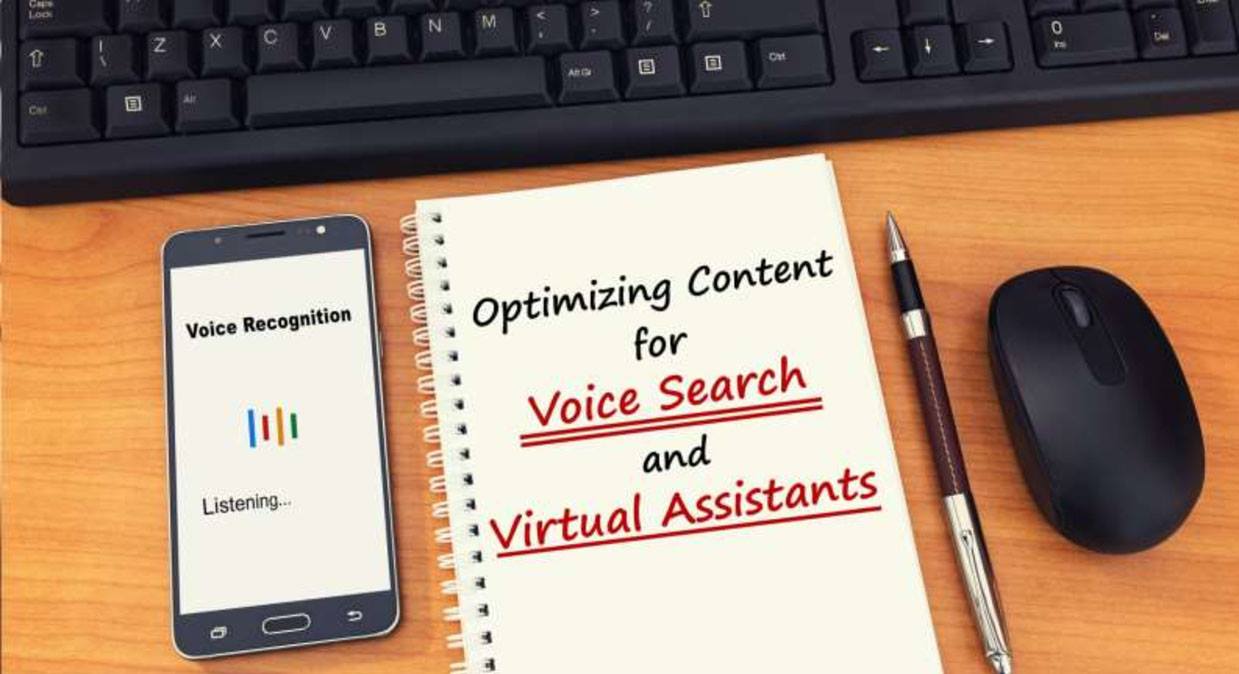
Voice search isn’t going anywhere. In fact, it’s more prevalent than ever before and that’s not going to change. The latest stats show that by 2020, at least 50% of all searches will be voice searches.

Even more surprising is this nugget of information. Digital transformation leader Gartner anticipates that in the same time frame, 30% of all searches will be screenless, as well. Screenless searches most often involve digital assistants such as Alexa, Cortana, and Siri. Experts anticipate that the voice speaker market will exceed $30 billion by 2024.

Put these facts together and we can draw one, inevitable conclusion:

Companies that fail to optimize for voice search now will lose business to companies that embrace the trend.

So… what do you need to know about voice search right now? How can you optimize your site to ensure that you’re grabbing your share of voice traffic? Here’s what you need to know.

What Are the Differences between Traditional Search and Voice Search?

Don’t fall into the trap of thinking that voice search is just traditional search with a new name. It’s not. There are some key differences in the way people seek out information when they’re speaking aloud, and you’ve got to understand them to capitalize on the voice search trend.

Here are the main differences:

  1. Voice search uses long-tail keywords. If you were looking for a product before voice search, you might simply type what you were looking for into Google and peruse a list of results. With voice search, you’re likely to ask a very specific question about where you can find the product in your area. Short keywords (also known as head keywords) aren’t going to help you in voice search.
  2. Voice search answers questions. If someone’s looking for the best pizza place in Chicago, they’re not going to say “Minneapolis pizza” to Siri. They’ll likely frame their query as a question: What’s the best pizza place near me? Your content must answer the questions that are most likely to lead people to your business.
  3. Voice search allows consumers to bypass intermediate steps. Traditional searches offer searchers a list of results which they can then filter. In voice search, the questions themselves act as filters and may allow a user to skip the filtering and jump directly into buying a product.
  4. Voice search only provides one answer. Traditional search queries return pages of potential websites for you to choose from. By contrast, ask Cortana where to buy your favorite brand of shoes and she’ll give you one answer and one answer only.
  5. Voice search is intent-focused. That means that people ask Siri or Cortana specific questions that have an intent – whether it’s to go out to eat, buy a product, or find a service.

What you should take from this is that voice search is intensely competitive and highly specific. It’s not enough to throw a few short keywords on a page and call it a day. Voice search optimization must be intentional and thoughtful.

Choosing Voice Search Keywords

Voice search optimization starts with keyword selection. You know you’ve got to focus on long-tail keywords, but which ones?

A good place to start is with Google’s new-ish “People Also Ask” feature. When you Google a keyword associated with your business, you’ll see a box just below the top result or two with a list of similar questions that people ask. You can use those to help you optimize your page.

Another way to choose your voice search questions is to look at the FAQ on your website and on your competitors’ sites. The questions that people access most frequently are likely to be ones that will bring a lot of traffic to your site.

Considering the intent of the questions you choose is essential, as well. Remember, voice searches are always asked with a specific intent. The user wants to find a product or business, or they’re seeking an experience, or they want help with a problem. If you keep their intent in mind, then you’re likely to do a good job attracting voice traffic.

Of course, your questions should still incorporate your local keywords. For example, say you own a pizza
restaurant in Minneapolis. Here are some examples of voice queries you could use:

  1. What’s the best pizza restaurant in Minneapolis?
  2. What the best Minneapolis pizza place?
  3. Where can I get vegan pizza in Minneapolis?
You get the idea. You want to incorporate your long-standing keywords into questions and use those as the inspiration for your content.

Tips for Optimizing for Voice Search

You understand why voice search is so important – now it’s time to do something about it. After you’ve chosen some key questions to answer, here’s what to do.
  1. Build a conversational interface. Your new, voice-optimized content’s got to answer search queries as specifically as possible to bring people as deep into your sales funnel as possible. This process takes time and skill.
  2. Focus heavily on localization. Most local businesses rely on local customers and they’re likely to incorporate place names into their voice search queries. You should answer their queries as specifically as possible while making sure that your business information is properly indexed. That way, people who need to find you will be able to find you.
  3. Use Schema markup on your pages. Proper Schema markup will ensure that search engines such as Google will be able to properly index your page and return it as a result for voice searches.

Perhaps the most important reason to start optimizing for voice search now is to stay ahead of Google’s algorithm. If you were one of the companies whose ranking took a hit after Mobilegeddon, you know how devastating it can be to get caught lagging behind a search trend.

It’s only a matter of time before Google adds voice search to its algorithm. You don’t want to be scrambling when that happens – which is why you’ve got to act now.

Voice search is here to stay. Your mission, should you choose to accept it, is to jump aboard the bandwagon now, while there’s still time. You’ll get a leg up on your laggy competitors – and reap the rewards in the form of a thriving business.


How to Turn Your Website into a Lead-Generating Powerhouse

How to Turn Your Website into a Lead-Generating Powerhouse

Your website is the headquarters of all your online marketing. It’s the first thing most people will find when they search for your business.

Between 70% and 80% of all consumers say that they research businesses online before buying products. In addition, 38% say that they’ll navigate away from a website if it is poorly designed.

It’s not a good idea to throw together a basic business website that doesn’t help you to generate new leads for your business. Your design must be user-friendly and intentional. Here are some tips to help you out.

 Facebook Business Page

Choose the Right Domain Name

It’s always surprising how many small businesses choose confusing or difficult-to-remember domain names for their business websites. Your domain name must be:

  1. Descriptive of your business
  2. Easy to type and spell (skip the dashes and weird abbreviations)
  3. Easy to remember

In addition to the name itself, you should also focus on finding a domain name that’s got one of the most popular extensions. These include:

  1. .com (by far the most popular)
  2. .net
  3. .biz
  4. .org

Less popular options, such as .info or .us, can confuse potential leads and make them choose a competitor over you.

Leave dashes and other punctuation out of your domain name and try to keep it short – under 15 characters is ideal. However, a lot of shorter domain names aren’t available and you’re better off choosing a .com name with a longer root than a shorter name with a less-common extension.

Design a Killer Home Page

In many cases, your home page will be the first thing a visitor to your site sees. That means it must be clear, attractive, and easy to read and navigate.

Your home page is like the cover of a book. It’s got to be welcoming and intriguing. You should have concise and compelling copy that explains who you are and what you do. You’ll also need original, meaningful images that sell your business.

We’ll talk more about calls to action later, but your home page absolutely needs a clear CTA and an irresistible offer, as well. The CTA should appear above the fold for the best results.

Boost Your SEO

If it’s been a while since you’ve researched keywords and optimized your page, it’s time to go back to the drawing board. Google changes its search algorithm constantly. There are a lot of business sites that haven’t even taken mobile optimization seriously – something that’s inexcusable considering that more than 60% of all searches are done on mobile devices.

Optimizing for voice search should also be a priority. That means choosing long-tail keywords that are highly focused and specific. Make sure that the content on your website answers the most commonly asked questions about your business and products.

You should also use Schema markup to ensure that it’s easy for Google, Bing, and other search engines to scan and index your site.

Tell Visitors What to Do Next

A lot of small business websites have only one call to action. It’s usually on the home page, but a lot of times it’s hidden deep in the website’s structure. It may be out of sight at the bottom of the page, overly complicated, or unclear.

If that’s the case with your site, it’s time to ramp up your calls to action to make them obvious, easy to find, and simple to fill out. Here’s what I recommend:

  1. Include a call to action on every page
  2. Make sure your forms have the fewest possible number of fields
  3. Auto-complete fields whenever possible
  4. Tailor the CTA to the page it’s on
  5. Use strong verbs and wording that makes it clear what the user will get if they fill out your form
Your call to action should not be the only way for people to get in touch with you. You may also want to include a “Contact Us” option in your header or footer and include your email address or phone number on every page, too.

The point is, you want it to be easy for people to contact you.

Build Multiple Landing Pages

Another common mistake that local business owners make on their websites is not thinking of every page as a landing page. Including a CTA on each page is only part of the process.

Each landing page should be specific to a common search query. Why? Because it can be confusing if you try to pack too much information on a single page. If someone comes to your site looking for tires, they shouldn’t have to wade through tons of content about mufflers and brakes.

HubSpot’s research shows that businesses with 30 or more landing pages perform best in organic search and lead generation. 30 might be too many for your business, but you should give some thought to creating specific pages that speak directly to a searcher’s intentions and needs.

Focus on the User Experience

Creating a great user experience on your site isn’t a direct lead-generating strategy, but it’s something that will help to keep visitors on your site long enough to respond to your calls to action and offers.

Creating the right user experience includes:

  1. Creating clear, easy-to-find menus that appear on every page of your site
  2. Using lots of white space to make your content easy to read
  3. Breaking up text with images
  4. Using short, easy-to-read sentences
  5. Building a system of internal links
When users enjoy being on your site, they’ll stick around. If it’s difficult to find what they need, you’ll lose them.

Use Your Content to Generate Leads

One of the best ways to generate leads is to create content that sells your business and makes people want to buy from you. You can do that by choosing meaningful blog topics that allow you to demonstrate your expertise and talk about the solutions you provide.

Come up with topics by asking:

  1. What problems does my business solve?
  2. Why do people need help with X problem?
  3. What’s different about my business?
  4. What surprising benefits come with patronizing my business?
Providing answers to these questions will ensure that you’re giving your readers the kind of content they crave. You can expand the reach of your blog by sharing your posts on social media and repurposing blog posts as videos or infographics.

There’s no reason that your website can’t be generating leads every day. The tips we’ve outlined here will help you take your lackluster site and turn it into a lead-generating superhero.

How to Get the Most Out of your Facebook Business Page

How to Get the Most Out of your Facebook Business Page

You probably already have a Facebook Business Page. If you don’t, you should – in fact, setting one up should be the very next thing you do after reading this article.

Why? Facebook has more than 2 billion active monthly users. Regardless of where your business is located or what you sell, the chances are excellent that a solid majority of your customers and potential customers have Facebook accounts.

The issue that keeps coming up is that many of the local businesses that have Facebook pages aren’t making the most of them. They might look okay on the surface but, in short, they’re not getting the job done.

Fortunately, there are some easy fixes you can make to turn your Facebook page into a powerhouse. Here’s what you need to know.

Choose a Recognizable Profile Picture

 Facebook Business Page
Your profile pic is the first thing most people will see when they visit your page or see your content. That means it’s got to be clear and easy to recognize.

The most obvious option is to use either your company logo or your picture for your profile. The former makes sense if you have a business with a recognizable logo or one where people don’t automatically associate you with your business.

Use a photograph if you’re a freelancer or the kind of business owner who’s front and center of every transaction.
Either way, make sure your profile pic is the right size. You can find the details in Facebook’s guide, here.

Add a Compelling Cover Photo

Your cover photo takes up more space on your Facebook Business Page than anything else. For that reason, it’s got to be compelling and professional.

A lot of local businesses use an image of their storefront or the interior of their business as a cover photo. Others use a group photo of their staff – something that makes sense for a service-oriented business.

Make sure to use the proper dimensions for your photographs. Facebook changes the dimensions frequently – you can double check here.

Minimize Admin Access to Your Page

You’re busy and it might be tempting to give an employee access to your Facebook page, so they can post content while you handle other aspects of your business. There’s nothing wrong with that – until there is.

If you decide to delegate social media responsibilities to employees, make sure that you:

  1. Provide proper training about the type of content to be posted, your social media strategy, and the “voice” you want to use in your posts.
  2. Make the parameters of their responsibilities clear.
  3. Lay out the process for dealing with negative comments and complaints.
  4. Limit access to one or two trusted employees at most.
You can change your Page Access settings by clicking Settings > Page Roles.

Add a Call to Action Button

You know that your social media posts and emails all need a call to action at the end that tells people what to do next. The same is true of your Facebook Business Page.

In recent years, Facebook has added Call to Action Buttons for Business Pages. The button appears on the right side of your Facebook Business Page just underneath your cover photo. Some of the options available include:

  1. Call Now
  2. Book Now
  3. Learn More
  4. Watch Video
  5. Sign Up
Choose the CTA button that is most suited to your Facebook marketing goals. You can add it by clicking the “Add Button” button on your Facebook Business Page. If you already have a CTA button and want to change it, you can do it by hovering over the button until the “Edit Button” option appears. Click it and you’ll be able to select a new button for your page.

Don’t Neglect Your “About” Section

The “About” section of your Facebook Business Page is vital to your page’s success. People will click “About” to learn more about your business. If you don’t provide them with the information they need, they may decide not to follow you.

You should make sure to at least include your full business name, address, telephone number, hours, and the URL of your website. You should also consider optimizing the section that’s most likely to sell people on your business. For example, you might:

  1. Provide a detailed company history
  2. Explain your key product’s genesis and uses
  3. Share your mission statement and company values
It’s also a good idea to add some company milestones to your profile, including your founding date, the launch of a new location or product, and key anniversaries.

Check Your Metrics

One of the most common Facebook marketing mistakes is failing to use the free tools that you get when you sign up for a Facebook Business Page. You might not know it, but Facebook Insights provides a ton of useful information about the people who follow your page and what they want to see.

The best way to use Facebook Insights is to track your engagement. I recommend focusing on:

  1. The times of day most people see your posts
  2. The kinds of content that get the most engagement
For example, you might look at Facebook Insights and discover that more people read your posts between 9 AM and noon on weekdays than at any other time. You might also discover that your video content is leaving other content types in the dust.

Using that information, you can then create a content strategy that will allow you to get the maximum organic reach for your content.

Promote Your Content

Increasingly, Facebook has tweaked its algorithm to prioritize personal content and minimize the reach of businesses. They say it’s because it’s what users want, but it’s also a way for them to maximize their ad revenue.

Either way, the only way to be sure that your content is seen by your followers is to promote it. I don’t recommend doing that with everything you post. But, if you’re sharing something important – like an event or a new product launch – it makes sense to drop a bit of money and promote your content.

Facebook marketing is like anything else – you get out of it what you put into it. Your Facebook Business Page is where it all starts. Use the tips here to get the most from your page and turn your Facebook marketing into the powerhouse it should be.

8 Content Marketing Types for Local Businesses

8 Content Marketing Types for Local Businesses

You know that content marketing is still king. That’s unlikely to change and that means that it’s your job to create and share the kind of content that’ll bring customers to your business and help you improve your bottom line.

The numbers back up content marketing’s importance. Research shows that 91% of all B2B companies use content marketing, and the same is true of 86% of B2C businesses. However, only 63% of companies have a dedicated content strategy.

You can see the issue at hand. Content marketing is a must and yet doing it improperly – without a clear focus and strategy – can be a huge waste of time and money.

With that in mind, here are 8 content marketing types to help you build your strategy and grow your business.

#1: Blog Posts

blog post

Blog posts are hardly revolutionary in the world of content marketing, yet a lot of local businesses still aren’t blogging regularly. Those who do reap rewards:

  1. Companies that blog get 97% more links to their websites than companies that don’t
  2. Companies with blogs have a 434% higher chance of receiving a high Google rank compared to companies without blogs
  3. 10% of blog posts are compounding, which means that they attract more organic traffic over time

For the best results, keep your blog posts tightly focused. Optimize them for local and voice search and make sure to use a clear, easy-to-follow structure in each post.

#2: Infographics

A lot of local businesses don’t bother with infographics and that’s a shame. They’re increasingly popular and perfect if you need to present a lot of data in a way that’s easy to understand.

While you might think you need to hire a professional graphic designer to make infographics for you, that’s not true. Online tools such as Canva and Venngage make it simple to create beautiful, shareable infographics.

Infographics can help you build authority and gravitas. They’re ideal for sharing on Pinterest, Instagram, and Facebook. If you’ve posted a data-heavy blog recently, consider transforming it into an infographic to share on social media.

#3: Customer Testimonials

customer review
You already know that customer reviews and testimonials are essential forms of social proof to use in your online marketing. However, if you handle them properly, they can also be part of your content marketing strategy.

Consider shooting video testimonials that tell a compelling story and give people a reason to buy your product or use your service. Video testimonials can be posted on your website, emailed to your list, or shared on social media.

#4: Case Studies

The term “case study” can be an intimidating one but think of them as in-depth customer testimonials. A testimonial will usually focus on how the customer feels about your business. A case study shows how you or your product helped a customer.

If you decide to use case studies in your content marketing, make sure to:

  1. Tell a compelling story in an engaging way. Incorporating some suspense and emotion into the story will keep people interested and ensure they stick around until the end.
  2. Be as specific as possible. Don’t just say that you helped your client grow their business – provide metrics and numbers wherever it’s possible.
  3. Show your customer’s journey from start to finish. Make sure to explain where they started, why they came searching for you, and what happened after they found you.
Case studies should be featured on your website. They can also be shared on social media.

#5: Memes

Memes are perennially popular and can be useful as a form of content marketing – but there are a few pitfalls you should be aware of.

It’s not a great idea to share random memes that have nothing to do with your business. Instead, it’s your job to find a way to take a popular meme and make it relevant to what you’re selling.

If you’re not sure how to use memes, check out Hulu’s social media pages. They use memes all the time, and very effectively. You can also check out what your competitors are doing.

#6: Videos

video marketing
Video marketing is still very popular. You can produce videos cheaply using your cell phone and a host of free online tools.

However, you don’t need to stop with traditional marketing videos. Here are some ideas:

  1. Create short videos (3 to 60 seconds) to share on Instagram
  2. Use the Boomerang app to string together a series of images into a short video
  3. Create GIFs using free tools such as Giphy or EZGif
  4. Try an animated or white board video
There are many video formats, so feel free to experiment and find out what resonates with your target audience.

#7: Checklists and Cheat Sheets

Some of the best content marketing provides actionable solutions to common problems. People don’t follow their favorite brands on social media for fun. They do it because they’re expecting to get something in return.

One easy way to provide it is by creating checklists or cheat sheets for your followers to use. For example, if you own a coffee shop, you could create a checklist to brew the perfect French Press coffee.

You can keep the checklists you create simple or design them to be downloaded and printed. Either way, you’ll be giving your followers something valuable.

#8: eBooks

Writing an eBook can seem like a daunting task and for that reason, a lot of local businesses stay away from them. However, a well-written short eBook can help you attract new subscribers for your list and build authority
at the same time.

Keep in mind that a lot of the eBooks sold on Amazon have 10,000 words or less. That works out to about 40 pages of content at 250 words per page. You have the option of writing the book yourself or of hiring a professional writer to do it for you.

Keep in mind that your eBook should be relevant to your business and valuable to the target audience you want to attract. eBooks are best used as lead magnets. You can advertise them on social media to get people to download them and subscribe to your list.

Content marketing is here to stay – and the 8 types of content marketing we’ve listed here can help you build your following and increase your profits at the same time.

Local Marketing Trends You Can’t Ignore

Local Marketing Trends You Can’t Ignore

Marketing trends change all the time. And, if you’re a local business owner, it can be hard to keep up. Which trends should you follow? Are there any that aren’t worthwhile?

In marketing, you’ve got to pick and choose. Very few people have an unlimited budget that allows them to jump on every trend.

But that doesn’t mean you can ignore trends completely. The trick is to pursue the ones that have the greatest chance of earning money and attracting new customers – and disregarding the rest.

So, let’s cut through the non-essentials and get to the important stuff. Here are the trends you simply can’t afford to ignore.

online review

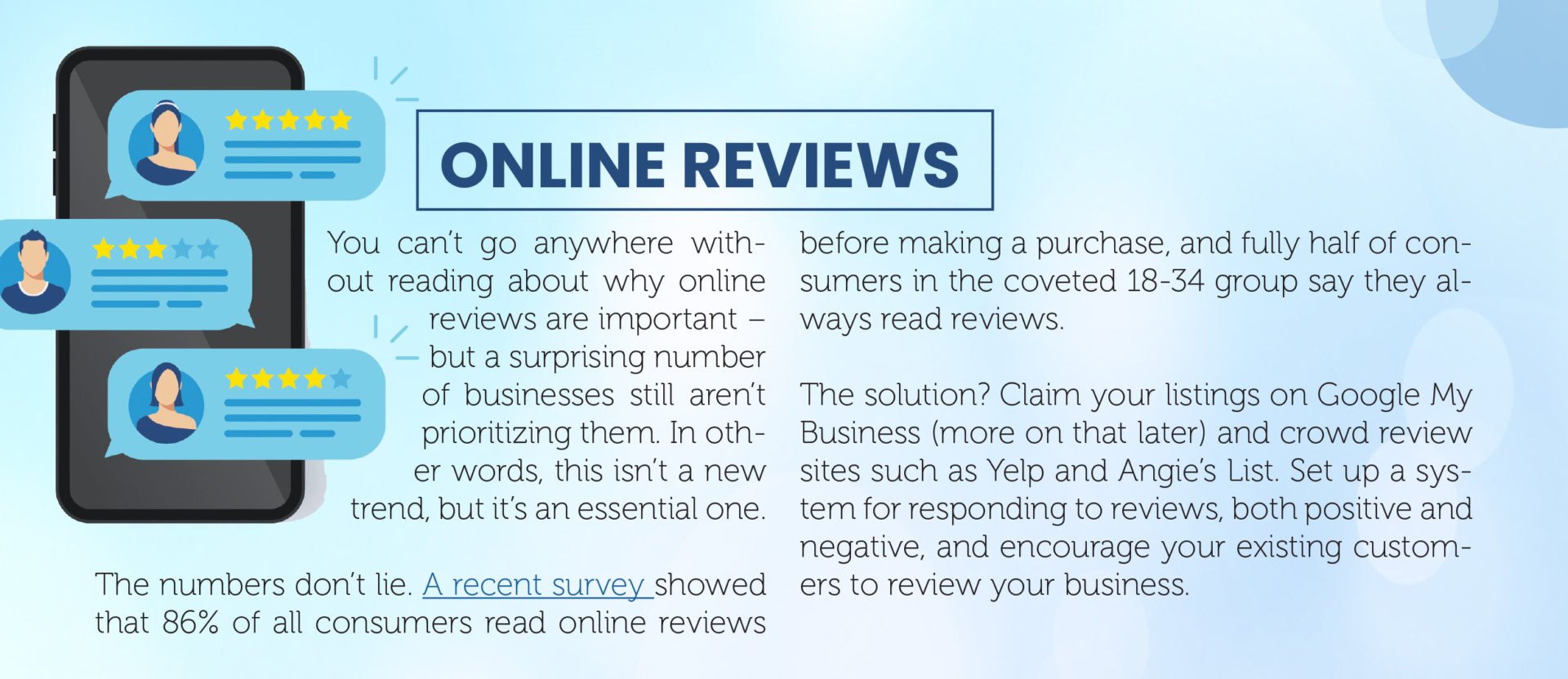
You can’t go anywhere without reading about why online reviews are important – but a surprising number of businesses still aren’t prioritizing them. In other words, this isn’t a new trend, but it’s an essential one.

The numbers don’t lie. A recent survey showed that 86% of all consumers read online reviews before making a purchase, and fully half of consumers in the coveted 18-34 group say they always read reviews.

The solution? Claim your listings on Google My Business (more on that later) and crowd review sites such as Yelp and Angie’s List. Set up a system for responding to reviews, both positive and negative, and encourage your existing customers to review your business.

Mobile Payments

Mobile payments are convenient and – when used properly – they can protect consumers’ financial information. Research shows that the mobile payment trend has been steadily rising over the past 5 years and is expected to top one trillion dollars in 2019.

Some of the best and most reliable mobile payment apps include:

  1. PayPal
  2. Venmo
  3. Zelle
  4. Square Cash
  5. Google Wallet

If you’re not sure what your customers prefer, ask them! You can pose a question on social media or ask people when they come to your store. Offering mobile payments provides peace of mind to your customers and can help you attract new customers who like to support businesses that support mobile payments.

Chatbots

When you hear the word “chatbots” are you thinking science fiction or reality? If you chose the first option, it’s time to pull your head out of the sand and step into the 21st century – because chatbots are here to stay.

The truth is that 1.4 billion people interact with chatbots every day. Not only that, adding live chat to your website can increase conversions by 20% and send your ROI skyrocketing by as much as 305%.

Programming chatbots can be complicated but it’s a worthwhile investment. You can start small by programming a chatbot to handle customer payment inquiries and other routine tasks. The trend is toward full virtual assistants, so keep that in mind as you move forward.

Interactive Video Content

Interactive videos are another trend that might sound like sci fi. The trend toward interactive videos in marketing is a huge one, though. Let’s look at the numbers:
  1. The click-through rate for interactive video is 8 times higher than for regular video
  2. 360-degree video has a 48% higher completion rate than regular video
  3. Likewise, the ROI on interactive video is 14% higher than with regular video

Major brands such as Johnny Walker, Samsung, and Porsche are using interactive video to connect with their customers. 

video content

Google My Business

Google My Business is one of the best ways to increase the visibility of your local business online. If you haven’t already claimed and optimized your listing, then the chances are good that you’re losing business to your competitors as a result.

You can click here to claim your listing. Once you’ve done that, it’s a must to complete your listing and optimize it for local searches. Here are some pointers:

  1. Enter all information that Google requests, including your full business name, address, phone number, URL of your website, hours, prices, and so on.
  2. Upload pictures of the inside and outside of your business and any products that you sell.
  3. Include your company logo, slogan, and other marketing information.
  4. Include your most important local keywords in your business description and listing.
  5. Update your followers on important events and announcements by creating Google My Business posts.
  6. Encourage customers to leave reviews.
It’s also important to monitor your Google My Business listing since it’s possible for customers to change information on your listing. You’ll need to make sure that your hours and other information are correct.

Facebook Recommendations Insert:

Facebook is still the most widely-used social media site with more than 2 billion active monthly users. It’s also a place where your followers can recommend businesses (including yours!) to their friends and social media connections.

Facebook is continuously tweaking their options for local businesses. As of 2019, Facebook Recommendations show up at the top of your business page. You’ll see an average rating plus the number of people who recommend your business.

Anybody who clicks on your rating will have the opportunity to answer a simple question:

Do you recommend Business Name?

They’ll answer yes or no and then they can offer to share their specific thoughts with you.

You can use Facebook Recommendations to encourage your customers to leave reviews. The responses you receive can help you attract new customers or offer you opportunities to improve your products and services.

Location-Targeted Mobile Ads

It’s no secret that GPS technology has become commonplace. What you may not know is that you can use its sister, beacon technology, to engage with your customers and provide them with location-specific ads and offers.

To do it, you’ll need to:

  1. Create a mobile app and encourage your customers to download it
  2. Use the app to track their locations
  3. Use their locations to send push notifications with offers, coupons, and promotions
For example, you might set up multiple beacons in your store. Then, when a customer’s browsing, you can use the app to send them notifications offering special deals on the products they’re looking at.

Another option is to ping your customers when they’re near your business and entice them to come in instead of passing by.

Local marketing changes on a near-daily basis. The trends we’ve listed here are ones that are unlikely to go anywhere – and using them properly can help you to attract new customers without overspending on marketing.

How to Use Social Media to Drive More Foot Traffic

How to Use Social Media to Drive More Foot Traffic

For many local businesses, online marketing is only part of the game. And, if you don’t have an online store, then it might seem like marketing on the web is an afterthought – something that has no relation to your sales and foot traffic.

Think again.

The truth is that a growing number of consumers rely on social media to find recommendations for local businesses. And those recommendations and reviews have a huge impact on which businesses they decide to patronize.

In other words, your social media accounts should be helping you to get more foot traffic in your store or office – and if they’re not, here are some things that can help.

Advertise an Inexpensive Item or Freebie

A lot of times, people just need an incentive to come visit your business in person. One way to entice them to do it is to advertise a special sale item or a giveaway item to get them to come in.

For example, you might:

  1. Run a buy one, get one free special (BOGO) on a popular product
  2. Giving a “behind the scenes” look at your business
  3. Streaming events as they happen
  4. Unboxing or demoing products
Giving people something for a reduced price or for free triggers something called reciprocity – a cognitive bias that makes people want to reciprocate when you do a favor for them. It’s responsible for that feeling of guilt you get when someone gives you a gift at the holidays and you don’t have one for them.

Incentivize Your Existing Customers to Make Referrals (and Incentivize New Customers, Too!)

Referrals
It can be difficult for your existing customers to refer their friends and family members to your business unless there’s something in it for them. And, the people they talk to will be more likely to check out your business if they’ll get something too.

The solution? Offer a two-way deal where both your existing customer and the person they refer get something in return. An example might be a 15% off coupon or a free item. That way, your existing customers will feel that they’re offering their friends something valuable – and vice versa!

Partner with Other Local Businesses on Social Media

One of the best ways to connect with new customers in your area is to partner with other local businesses – particularly those whose audiences overlap with your own.

For example, if you own a clothing store, you might partner with a local shoe store or jewelry store. Or, if you own a nursery or floral shop, you could partner with a wedding boutique or bakery. From there, you have options, including:

  1. Running a social media contest where you and your partner(s) post content and run ads to promote the contest. (Each contest sponsor should contribute part of the prize.)
  2. Offering special promotions and package deals for people who are willing to patronize both businesses.
  3. Cross-posting content that’s relevant to both audiences.
You get the idea. The key is to make sure that the businesses you partner with are ones whose audience is likely to buy from you.

Share Coupons

Print-at-home coupons are a great way to incentivize people to come into your store. Everybody likes to save money and get a bargain.

If you decide to create a coupon, make it a significant one. A lot of local business offer one of these options:

  1. A buy one, get one free (or get one half price) coupon
  2. A coupon for a significant percentage off an item or total purchase (10% is the minimum)
  3. A coupon for a free item with a purchase
A well-thought-out coupon can accomplish several things at once. First, it can incentivize your existing customers to come into your store and make a purchase. Second, if you encourage them to share the coupon, it can help attract new customers to your store.

Create a Social Media Code Word or Hashtag for Your Business insert hashtag

 Social Media

Social media is a great place to work on your word-of-mouth advertising. Think about what you can do to get people talking about your business – and how you can use that online chatter to encourage people to come see you in person.

One option is to create a “secret” code word or a special hashtag for your business. You can spread the word by asking people to share it – and by letting them know if they come into your business and mention the code word or hashtag, they’ll get a discount or a freebie.

This option is essentially a word-of-mouth coupon. There’s nothing to print. Instead, people simply need to know the code word and mention it when they check out.

Share Images of Your Customers

Social media marketing is an ideal way to forge personal connections with your customers and get to know them. One way to do that is to get in the habit of taking photographs (with permission, of course) of your customers while they’re shopping. If you get their okay, you can then share them (and tag your customers) on social media.

What this tactic does is show people how much fun they can have shopping at your store or patronizing your business. And, when you tag customers, you’ll also be putting your content in front of their friends! That’s a win-win.

Run Targeted Local Ads

While there are lots of ways to leverage organic social media marketing to get more foot traffic in your business, the fact is that paid advertising is still the best option if you want to make sure your content is seen by local people – the ones who are most likely to buy from you.

The good news is that social media advertising makes targeting easy. You should choose an audience that is specific to your geographical area. By narrowing it down further – with demographic information and interests – you can minimize your costs and maximize your reach.

Foot traffic doesn’t materialize out of nowhere. But careful leverage of your social media following can help you encourage your existing customers to make additional purchases from you – and incentivize their friends and other new customers to buy from you, too.

Get Ready to Improve Your Social Media Engagement

Get Ready to Improve Your Social Media Engagement

Social media marketing is a must – but getting organic engagement is becoming increasingly difficult. With sites like Facebook and Twitter tweaking their algorithms constantly, local businesses need proven strategies to ensure that their customers see and engage with their posts.

Engagement isn’t a one-size-fits-all proposition, but it’s undeniable that some strategies to increase engagement work better than others.

So, instead of wasting your time with a bunch of ideas that may not work, let’s focus on the ones that do. Here are some of the most reliable ways to get the social media engagement your business deserves.

Live Video

Social media live video

The thing about static social media posts is that they’re, well… static. People may engage with them or they may not – but there’s no real incentive to jump in and get involved.

The same cannot be said of live video. Live video is of the moment – and it requires audience participation.
Instead of filming a video, editing it, and then sharing it, try using live video instead. Live video is ideal for:

  1. Answering questions from your followers
  2. Giving a “behind the scenes” look at your business
  3. Streaming events as they happen
  4. Unboxing or demoing products
One of the biggest benefits of live video is that it doesn’t need the same production value as a professional video. All you need are a good microphone and decent lighting – and you’re good to go!

Ask Questions

If you’re posting content that doesn’t specifically ask for your followers’ opinions and responses, then you’re missing an opportunity to engage with them in a meaningful way. The best questions to ask are often open-ended questions because longer, more detailed responses are more likely to positively impact your visibility on social media.

Here are a few suggestions of the kinds of questions you can ask:

  1. What do you think about X, and why?
  2. What’s one thing you would change about X?
  3. What are the qualities you look for in a [product or service]?
  4. What’s your daily [fill in the blank] routine?
  5. How do you use our product?
What these questions have in common is that they encourage detailed responses. And because they also stimulate curiosity, they may encourage your followers to reply to each other’s responses and check back in to read responses later.

Go for Laughs

Whatever kind of business you own, there’s some humor to be found in promoting it. And social media is the perfect place to share frustrations and odd events. Let’s face it, people love to laugh!

The things you post can be lists, images, or even questions. The key is to find the humor and make it irresistible for your audience to chime in. Here are some ideas:

  1. Post a picture of a wardrobe malfunction (a G-rated one, of course) and ask your followers to tell you about their most embarrassing wardrobe mishap.
  2. Post a list of bad advice related to your business and ask people to tell you about the worst advice they ever received.
  3. Tell a story about a humorous but frustrating event you experienced at work.
Keep in mind that posts with images get more engagement than text-only posts – and have fun!

Stop Them in Their Tracks

One of the trickiest things in social media marketing is finding ways to make your content stand out. After all, you’re competing with your followers’ friends and family (whose posts are prioritized on Facebook and other sites) and with our ever-dwindling attention spans.

An option that works is to find eye-catching, surprising, and irresistible images to include in your social media posts. The kind of thing that will grab your audience’s attention and hold it – making it impossible for them to resist clicking, reading, and watching.

Some ideas include:

  1. Surprising or funny images
  2. Unique graphics and illustrations
  3. Infographics
  4. Intriguing video thumbnails
The thing to remember is that standard stock photos and images aren’t going to do the trick. You need something that’ll take your audience by surprise and give them a reason to stop scrolling. Think original images, candid photographs, and creative designs.

Take a Poll

A well-designed social media poll can get the people in your target audience to engage with you in a whole new way. Polls on Facebook and Twitter – and other sites – are easy to design and post. They take very little effort and no money.

You can use a social media poll to:

  1. Learn about the kind of content your followers want to see
  2. Collect demographic information about your followers
  3. Find out which offers your followers are likely to take advantage of
Polling options are somewhat limited so you may need to give responders the option of expanding on their answers in the comments.

Add a Messenger Chatbot to Make Connections

MESSENGER CHATBOT
Chatbots are here to stay and you can use a Messenger chatbot to make new connections and increase your engagement.

One option is to run a promotion (with a lead magnet, for example) on Facebook and let people know that if they comment, they’ll get a freebie via Messenger. It’s a good way to open a dialogue without spending a ton of money.

If you’re looking to attract new leads or build a list, this is a good option to try.

Put Your Emoji Game to Work

There’s plenty of evidence that adding emojis to your social media posts can increase your engagement on social media. That being the case, why not experiment with including them and see what it does for your engagement?

Here are some pointers for adding emojis to boost engagement:

  1. According to HubSpot, novelty emojis tend to get more engagement than faces
  2. Choose emojis that are easy to understand and relevant to your post
  3. Stay away from emojis that don’t fit in with your brand’s message and personality
  4. Ask your followers to answer a question using only emojis

You should use emojis sparingly in your posts. You don’t need to do it every time or replace every other word with an emoji. If you try this method, make sure to track your results and adjust according to what your analytics tell you.

Increasing your social engagement may be a bit of a crap shoot, but it’s possible to do it without spending a ton of money promoting posts and running ads. The ideas here are proven to help companies get the attention they deserve on social media.

emoji
5 SEO Mistakes That Are Costing You Customers

5 SEO Mistakes That Are Costing You Customers

Local business owners are busy people – you know that already. In a single day, you could be acting as an HR manager, marketing guru, IT expert, and cashier. That’s a lot for any one person to do.

For that reason, SEO can sometimes take a back seat. It’s understandable. When you’re the one doing nearly everything, you might be tempted to set SEO aside – especially if it seems like it’s not a money-making endeavor.

But it is.

The truth is that you might be making critical SEO mistakes right now that are driving customers away from your business instead of attracting them.

The good news is? There are just 5 common mistakes and they’re all easily fixable. They’ll take a bit of time, of course, but it’s nothing you can’t handle. Here’s what you need to know.

SEO Mistake #1: Not Optimizing Your Google My Business Page

The most important thing to know about Google My Business is that it’s owned by – you guessed it – Google. That automatically makes it important for SEO.

If you haven’t already claimed and optimized your Google My Business page, here’s what you need to do:

  1. Click here to claim your page
  2. Provide all information that Google asks for, including your business address, phone number, URL, social links, map, hours, menu, and prices.
  3. Use your most important local keywords in your descriptions.
  4. Add pictures and relevant images to your listing.
  5. Check your listing regularly since customers can edit it.

Once you’ve done these things, you should also plan on making Google My Business posts to promote your business.

SEO Mistake #2: Not Optimizing Your Website for Mobile Users

Mobile search is everything when it comes to local SEO. In fact, as of 2018, 95% of ALL mobile searches happened on Google. That’s not a number you can ignore.

Here are some of the key things to improve to optimize your site for mobile:

  1. Improve your page’s loading time. As of 2018, the average mobile site took 22 seconds to load – but the optimal loading time for conversions is about 2.4 seconds!
  2. Do mobile user testing and make sure that your menus and buttons are easy to navigate on mobile.
  3. Make sure your content doesn’t require horizontal scrolling (or squinting) to be read on a mobile device.
  4. Make sure common actions and requests are easy for mobile users. In other words, make it easy for them to find directions to your store, view your prices, subscribe to your list, make a purchase, or follow you on social media.
On a related note, you should also think about mobile advertising. For example, Facebook has a “Call Now” button as an option for mobile ads.

SEO Mistake #3: Not Optimizing for Voice Search

Voice search is arguably the biggest trend in SEO. The increasing popularity of virtual assistants such as Siri, Alexa, and Cortana is driving the trend. As of 2019, 20% of all online searches were voice searches and that number’s expected to skyrocket to 50% by 2020.

Fortunately, optimizing for voice search isn’t difficult. Since people use voice search in specific ways – asking Siri a question, for example – you’ll need to think about the questions and problems that drive most customers to your website.

Here are some pointers:

  1. Answer common questions. Make a list of the questions that people are most likely to ask about your products or services and answer them on your site. Use the questions themselves as keywords.
  2. Focus on long-tail keywords. Questions are great, but so are keywords that include words like:
  • How to
  • Where
  • New
  • Best
  • Top-rated
  1. Incorporate local keywords. Most voice searches are local, and you don’t want to miss out on searches that include the name of your city or the words “near me”
  2. Make sure your site loads quickly. Mobile users have a bounce rate 10% higher than desktop users – and most voice searches are mobile.
Rethinking your content with voice search in mind is a great way to attract more customers.

SEO Mistake #4: Not Removing Broken Links (insert 404)

You already know that link-building is crucial for SEO. Both internal and external links are a must, and if you’ve got broken links, it can hurt your SEO over time.

Broken internal links are frustrating for users – and they can occur when you change the URL of a page or remove content from your site. Broken external links are also frustrating and can even hurt your Google rank.

If it’s been a while since you looked for broken links on your site, you might be losing customers without realizing it. You can try going through your site and checking each link individually – but if you’ve got a complex site with a lot of pages, that can take a long time.

Instead, consider using a broken link tool like this one to help you out. It will test your site, identify broken links, and make it easy for you to fix them.

SEO Mistake #5: Not Focusing on Reviews

86% of all consumers read online reviews before making a purchase – and most read 10 reviews or more. Do you need anything else to convince you that online reviews are important for SEO?

If you’ve been neglecting your online reviews, it’s time to take them seriously. Having current reviews can make or break a local business.

Here are some pointers for getting your online reviews taken care of:

  1. Claim your business listings on Google My Business (see above), Yelp, and other review sites.
  2. Check your information to make sure it’s accurate.
  3. Ask customers to review your business. If you’ve got regulars, you can simply ask them to leave a review. Link to your Yelp or Google My Business page on your website and print the URLs on your receipts.
  4. Ask your Facebook followers to review your business on Facebook.
  5. Designate a person to handle reviews, including responding to negative and positive reviews quickly.
You can also seek out people who leave detailed or inspiring reviews and ask them to write or film a testimonial for your business. Then, you can feature it on your website or social media.

SEO is constantly changing, but the 5 mistakes here are ones you simply can’t afford to make. Fixing them now can help you avoid missing out new customers.

Unofficial Email Marketing Roadmap for Local Business

Unofficial Email Marketing Roadmap for Local Business

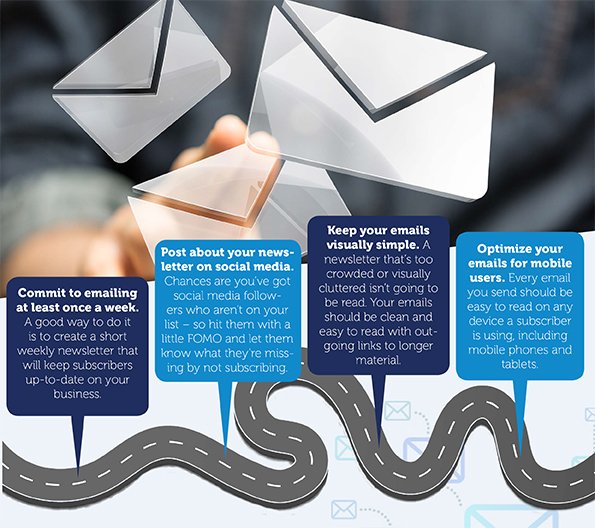
Email marketing remains one of the best ways for local businesses to build customer loyalty and attract new customers. It’s affordable and accessible – but it won’t be effective if you don’t make the most of it.

The good news? Every dollar spent on email marketing in the United States generates $44 of revenue. That’s crazy ROI by any standard. Welcome emails generate 320% more revenue than other emails – something that underscores the importance of attracting new subscribers.

Convinced? Good! Here are some pointers to help you navigate the potential pitfalls of email marketing and get the results you deserve.

Build Your List

It’s important to begin at the beginning. You can’t launch a successful email marketing campaign without subscribers. So, what can you do to attract them? Here are some things to try:

  1. Simplify your opt-in form. A lot of companies add fields they don’t need. Stick with the person’s email and – if you want to personalize your communication – a field for their first name. That’s all you need.
  2. Add a unique call to action. Instead of just including a “Subscribe” button, try adding something a bit more exciting. “Yes” statements are great – Yes! I want to be the first to know about new promotions!
  3. Create a lead magnet. A lead magnet is a giveaway to entice people to sign up for your list. Examples include cheat sheets, templates, and reports.
  4. Put opt-in forms in more than one place on your website. The goal is to make it easy for people to subscribe. Make it easy for people to find and complete your form.
  5. Use a pop-up or lightbox to encourage subscriptions. Pop-ups get bad press, but they work. Using a simple overlay lightbox can increase subscriptions by making it impossible for people to miss your form.
  6. Ask people to subscribe when they check out. The cash register is the ideal place to gather email addresses. Let’s face it – somebody who’s already bought from you is an ideal subscriber!
  7. Have a tablet for people to subscribe. An electronic form is better than a paper one since it means you won’t need to worry about bad handwriting.
  8. Consider segmenting your list. List segmentation allows you to send content that’s tailored to your customers’ specific needs. You can encourage self-segmentation by asking subscribers to choose the topics or products they want to hear about.

Collecting new subscribers will allow you to reach more people with your email campaigns.

Make the Most of Your List

Once you’ve got a robust subscriber list, the next step is to use it well. Here are some things to try to get the most from your list.

Email Marketing for Local Business
  1. Give your subscribers something special. Anybody who subscribes to your list should feel that they’re a priority to you – so give them sneak peeks at new products or a heads-up on an upcoming sale.
  2. Create customer surveys and email them. Surveys are a great (and cheap!) way to do some customer research, and many email automation services offer templates to create them.
  3. Track your results. One of the most common mistakes small business owners make is not tracking the results of their email campaigns. Tracking allows you to identify the types of content that perform best.
  4. Test your content. Emails can be tested the same way web content can. Sending out different headlines and content can help you focus on what your subscribers want.
  5. Remember that you can test everything from your subject line to the headlines of individual articles to your call to action.

I can’t tell you what your subscribers want to read, but these guidelines can help you identify their interests and preferences and tailor your campaigns to them.

Retain Your Existing Subscribers

You already know that it costs way more to attract a new customer than it does to keep an existing one. Your existing subscribers are the same. So, what can you do to keep the people who are already on your list happy? Here are some ideas:

  1. Send a killer welcome email. I already told you that welcome emails generate more than three times as much business as other emails. That means that hitting your new subscribers with an irresistible offer – a coupon or BOGO or whatever it is that works for you – will help you get that all-important first order.
  2. If you really want to ramp things up, create a welcome series. It doesn’t need to be long – although some companies create long series of as many as 50 emails – but it needs to include valuable content and relevant offers.
  3. Use a double opt-in. A double opt-in is when a subscriber fills out your opt-in form and you require them to click on a verification email before they subscribe. That might seem like a hassle – and it might seem to run counter to what I said earlier about simplifying forms. However, it’s one of the best ways to eliminate spammers and guarantee that the people on your list want to be there.

Email marketing has been lucrative for small businesses for a reason. Even Millennials prefer to communicate by email – and because email marketing is affordable, it’s a cost-effective way to build brand recognition and loyalty, attract new customers, and grow your business.

How to Use Facebook to Connect with Local Followers

How to Use Facebook to Connect with Local Followers

You probably already know that Facebook has more than two billion active monthly users. Obviously, not all of them are in your target audience – but many of them are. For that reason, it’s important to understand how to use Facebook to encourage your existing customers to talk about your business and recommend it to their friends.

Facebook offers a variety of tools – some old, some new – that enable small business owners to connect with their customers. I It’s time for all small business owners to make full use of it to increase their visibility on social media and attract new customers. Here’s what you need to know.

Pinpoint Your Location on Facebook

Your customers can’t buy from you if they don’t know where you are. When you log in to Facebook, you’ve probably noticed that you have options when you post a status update. They include tools to tag your friends, post photos or videos, or express emotions. One of them is the Check In, which allows you to say where you are.

When Facebook users click the “Check In” pin, they get a list of nearby places. They can choose where they are or even add a new location if they don’t see their precise location on the list. People even add their homes to Facebook for fun.

When this option was first introduced back in 2010, Facebook called it Places. You’ll still see a Places tab when you do a search on Facebook. It’s a geolocational tool that pinpoints a user’s location and broadcasts it to their Facebook friends and followers.

Updates to Facebook for Small Businesses

In the early days of Facebook advertising, it was easy for local businesses to grab their share of organic reach on Facebook. The algorithm was simple and posts that got a lot of engagement got pushed to the top of the feed.

That’s no longer the case. Facebook’s algorithm now prioritizes contact from people, not businesses. It’s become increasingly difficult to get any kind of organic reach – which is, of course, part of the reason Facebook earned $16.6 billion from advertising in the fourth quarter of 2018.

In August of 2018, Facebook announced several key updates specifically designed to help local businesses increase their visibility and connect with customers. They included:

  1. Redesigning mobile Pages so users can view Facebook Stories, make appointments, view recent content, and more.
  2. Changing “Reviews” to “Recommendations” and making them more prominent on business pages.
  3. Expanding their ‘Job Finder” tool to make it easier for Facebook users to find jobs with local businesses.
  4. Expanding the “Events” feature to make it easy for local businesses to plan and sell tickets to events on Facebook.
  5. Creating a standalone “Facebook Local” app to help users find and connect with local businesses on Facebook.

 As you can see, Facebook has recognized that their algorithm changes, which have made it increasingly difficult for local business to get their share of organic traffic, had made Facebook a less attractive marketing option for local businesses. These updates alleviate those concerns by making it easy for your customers to find you on Facebook.

Facebook to Connect with Your Local Followers

That covers creating a Place, but you’ll also need to verify that you’re the owner. To do that:

  1. Search for your business in the Facebook search bar and click the result in the Places tab.
  2. Click the “Is this your business?” link on the left side of the page.
  3. Follow the instructions to verify your business via phone.

If you try to add your business and discover that there is already a Places page for it – users can create them if they want to check in someplace – then you can simply click the “Is this your business?” link and follow the instructions to claim your business.

How to Make Your Business More Visible on Facebook

Once you’ve set up Facebook Places for your business, there are some cool features you can take advantage of.

Let’s start with the obvious. It’s great to encourage people to check in at your business when they visit. You can accomplish that with a sign in your store or by having employees ask people if they’ve checked in on Facebook.

You can also update your Places page with relevant information about your business. The main things to add are your address, phone number, business hours, a profile picture and a cover image.
You can also share photographs and general information about your business.

Facebook will create a map with your business pinpointed on it. It will show up on your “About” tab along with the “Get Directions” button.

Customer Recommendations on Facebook

When Facebook Places first launched in 2010, customers could leave reviews and star ratings on business pages. As of 2018, Facebook renamed this feature “Recommendations.”

Recommendations show up at the top of your page. Facebook displays customer recommendations, including brief written reviews. Your customers can also:

  1. Upload photographs
  2. Choose which things they recommend (for example, a specific service or product)
  3. Write reviews within a set character limit

Facebook also displays a question underneath the Recommendations:

Would you recommend Business Name?

There are Yes and No buttons right there, making it easy for your customers to recommend your business to their friends.

To turn on Recommendations, you’ll need to go to Settings, Edit Page, and then go to the section called Tabs. From there, you’ll simply choose the option to “Choose Default Tabs” and then add the Reviews tab to your page.

Going forward you can increase your visibility on Facebook by:

  1. Asking customers to check in when they arrive at your business
  2. Encouraging them to leave recommendations and upload photos
  3. Include a Review button in your marketing emails and on your websites
facebook for business