Loyalty Program To Keep Customers Coming Back!

Loyalty Program To Keep Customers Coming Back!

Loyalty programs are everywhere. I’m willing to bet you have several loyalty cards in your wallet. You may even have loyalty memberships you’ve forgotten about. Customers love them – and with good reason.

A well-thought-out loyalty program provides benefits to customers that can range from reduced prices for products to giveaways to exclusive access to special events and offers. For businesses, they help with customer retention by incentivizing loyalty.

The trick, of course, is creating a loyalty program that does both. There are lots of different options, including referral programs.

So, with that in mind, let’s talk about loyalty programs. Should you create one? What benefits and features are best for your customers and you? Here’s what you need to know.

The Benefits of a Loyalty Program

Let’s start by talking about the benefits you’ll reap if you start a loyalty program that appeals to your customers. There are several that make loyalty programs a must for marketers and business owners.

  1. They can help you retain customers. One study found that a 5% increase in customer retention led to an average 25% increase in profits.
  2. 60% of loyal customers say they buy more frequently and make more purchases from the brands they love.
  3. Surprisingly, loyalty programs don’t cost companies as much as you might think. It costs far more to acquire a new customer than to keep an existing one. When you offset the cost of a loyalty program against the cost to attract new customers, it’s still a far less expensive option.
  4. Customers who participate in loyalty programs feel valued and that triggers a cognitive bias known as Reciprocity. That’s the instinct that makes us feel that we should return a favor when someone does something for us.
  5. Research shows that loyalty programs increase sales. According to one study, members of loyalty programs generated between 12% and 18% more revenue for businesses than non-members.
  6. Loyalty programs can help you learn about your customers. It may take a bit of trial and error but creating a loyalty program allows you to collect valuable data about your customers and their buying habits. You can use what you learn to fine-tune your loyalty program and to create offers that will appeal to your most loyal customers.

Loyalty programs offer benefits to you as a business owner while also giving your most loyal customers a reason to return to your business, increase their purchasing, and recommend your business to their friends and social media followers.

Features of a Successful Loyalty Program

What features should your loyalty program have? There’s no one correct answer, but there are some things that most successful loyalty programs offer. Here are the ones that you should seriously think about working into your program:

  1. A structure that incentivizes customers to purchase frequently and spend more money than they normally would. A good example is the beauty supply store ULTA. Loyalty members earn one point for each dollar they spend and may redeem points for over 20,000 products. There are platinum and diamond levels with additional incentives.
  2. Early access to special offers and products. A lot of loyalty programs offer members insider status where they get first access to new offers and a heads-up on the release of new products. It’s a good way to make your loyalty program members feel valued and special.
  3. Ease of use. Providing a frictionless experience is a must if you want members to participate in your program. It shouldn’t be difficult to join, and you should make it simple to accrue rewards and use them.
  4. Personalization. It’s a great idea to create a mailing list for your loyalty members and personalize what you send to them.
  5. Freebies. Customers must accumulate points to earn rewards, but there’s nothing wrong with offering them something just for joining your program. A key example here is Sephora, which offers a free birthday gift to members every year. It’s a nice reminder that they care about their customers – and who doesn’t like a birthday present?
  6. Brand relevance. Finally, your program should be relevant to your brand and deliver what your customers want.

“The key here is to think about your business, brand values, and customers and create a loyalty program that delivers on your customers’ expectations while helping your bottom line.”
ideas for loyalty program

Here are some suggestions for how to structure your loyalty program in a way that makes customers want to participate.

  1. Use a simple point-based system. I’ve seen some loyalty programs that are convoluted. Here again, ULTA’s “one point for each dollar spent” is a role model. Nobody’s getting confused about how their system works.
  2. Charge a fee for access. This option might seem counterintuitive but it’s often quite effective. Two examples are Amazon (Amazon Prime) and REI, which charges a $20 fee for lifetime access and pays dividends to customers based on how much they spend during the year.
  3. Build your program around shared values. Not every reward needs to be monetary – and some can be both monetary and do good in the world. A great example is Patagonia, which offers a “Common Threads” program that allows members to resell their used clothing on the Patagonia website. Since their customers care deeply about sustainability, this offer makes sense for them.
  4. Gamify your loyalty program. Everybody loves a game and there are lots of ways to make loyalty fun for your customers. For example. Safeway offers an annual Monopoly game that gives shoppers game pieces based on how much they spend. They can earn rewards including free groceries, prizes, and cash rewards.
  5. Create a tiered system to further reward big spenders. It makes sense to give your most loyal customers – the ones who buy the most from you – additional rewards. Creating different reward levels (Gold, Silver and Bronze, for example) will incentivize people to buy more to earn the extra rewards you’re offering.

Different products require different structures. A restaurant owner might choose a straightforward “Buy 10 meals, get one free” approach, while a retailer might be more interested in a points program.

Once you get your loyalty program going, track the results and use what you learn to fine-tune your structure and rewards. Your customers will let you know if something’s working – and your bottom line will reflect their increased loyalty.

7 Ways To Make Sure Your Website Is Up To Date

7 Ways To Make Sure Your Website Is Up To Date

Is your website hip and modern – or is it out-of-date and sad? If it’s been a while since you updated your site, there’s at least a chance that it’s a dud. That doesn’t mean it’s poorly designed, but it does mean that it’s your job to give it an honest evaluation and update it if it’s not good enough.

Fortunately, an update doesn’t mean a full redesign. Here are 7 simple things you can do to make sure your website is offering the user experience and value your customers deserve.

#1: Optimize for Voice Search

One of the biggest problems I see with websites is that many are using keywords that haven’t been updated in years. The days of short, generalized keywords are long past. Instead, focus on voice search, which is already important and on the rise.

As of 2020, 50% of all searches will be voice-based. With virtual assistants like Siri, Alexa, and Cortana more popular than ever, it’s safe to assume that a hefty percentage of the people who land on your site will get there via voice search.

#2: Add Structured Landing Pages

Structured landing pages have content that’s easy for Google to interpret. They provide context for your content and identify how it relates to your metadata.

The best-known tool for structuring your content is Schema markup. Schema provides a vocabulary that web developers can use to structure data around people, places and things on the web.

When you add Schema markup to your site, it delivers rich snippets and rich cards as part of your search result on Google — making it easy for users to choose your site over the others that are available.

#3: Update Your SEO

Optimizing your website takes times, which is why a lot of companies do it only when they notice a big drop in their traffic. If it’s been a while since you updated your SEO, then it’s time to take another look. Why? Because Google updates its algorithm constantly.

The most important update in the past few years has to do with relevance. Google Rank Brain, which is now part of Google’s search algorithm, prioritizes sites based on their overall relevance to the term being searched. It measures bounce rates and the amount of time visitors spend on your site. The longer you can get them to stay – something that’ll happen if you provide tons of relevant content – the better off you’ll be.

#4: Be Ready for Mobile

There’s really no reason for any website not to be mobile optimized at this point. Google rolled out its Mobilegeddon update back in 2015. That’s when they started to penalize sites that weren’t mobile optimized.

It’s not enough to have a mobile site now. You need a site that’s perfectly optimized for mobile users. That means that mobile visitors can get the same content and functionality as a visitor using a desktop computer regardless of which device they’re using.

Some things that are particularly important are having buttons that are right-sized for mobile users, content that’s easy to read with no teeny fonts or horizontal scrolling, and access to ALL the relevant content on your site – not just a few things.

website design

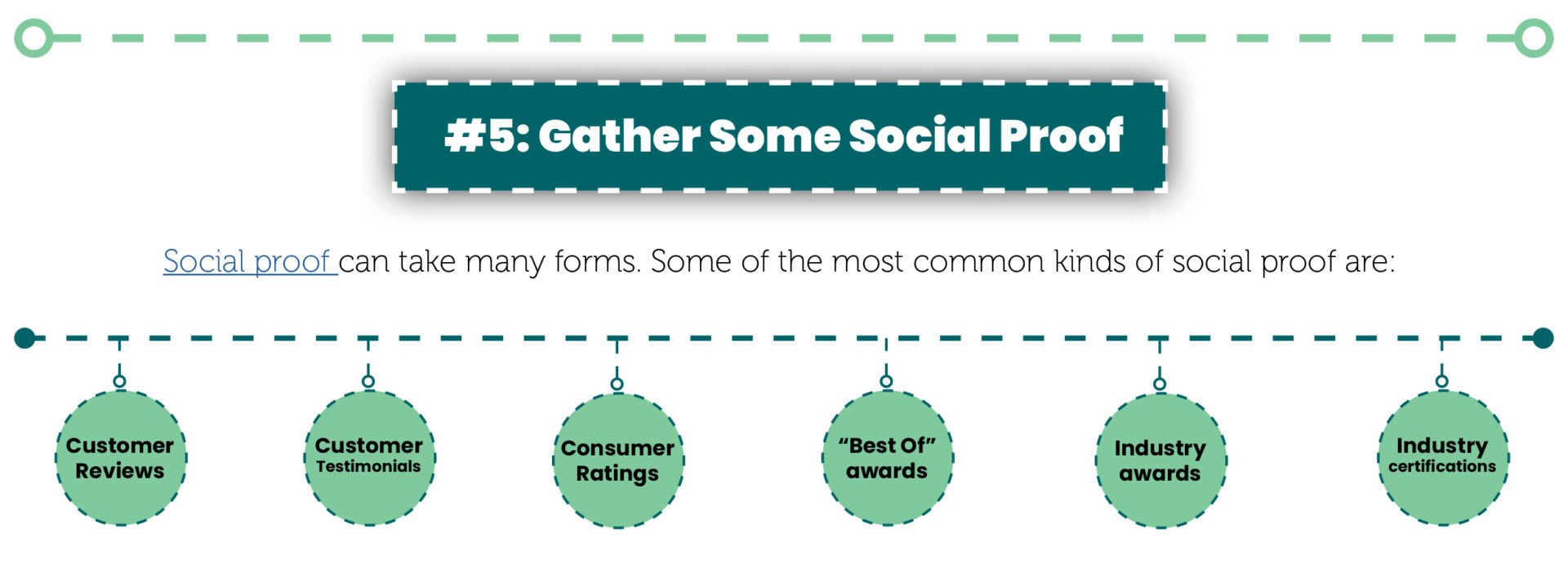
There’s plenty of research that shows that people give just as much importance to third-party reviews online as they would to a recommendation from a trusted friend. If you’re not including some type of social proof on your website, then you’re missing out on an opportunity to show casual visitors to your site that they can trust you.

#6: Improve Your Page Loading Time

How quickly does your website load? If the answer is more than four seconds, then it’s a virtual certainty that you’re losing visitors as a result. After just three seconds, approximately 53% of mobile users will navigate away from a site and try another one. The numbers are just as bad for desktop users.

The problem with not updating your website often is that technology keeps moving. You can use a free online site loading speed testing tool such as Pingdom to see how fast your site loads. If it’s not making the grade, you’ll need to upgrade it to ensure that you’re not losing customers faster than you can attract them.

#7: Update Your Call to Action

Call to Action

However, not all Calls to action are created equal. And if your calls to action are outdated and tired, then you might be losing subscribers and leads as a result.

Think about the opt-in form for your mailing list. What’s the call to action? Does it just say SUBSCRIBE or SUBMIT? If it does, then it’s time to rethink it and give it some spice.

I’m a big fan of calls to action that emphasize something positive about subscribing to your list. Here are a few examples:

  1. Yes! Send me special offers each week!
  2. Download our “10 pounds in 10 Days” Workout for FREE!
  3. I’m ready to save 20% on my car insurance!

I also like the idea of using humorous opt-outs because I think they nudge people in the direction of subscribing. Here are some opt-outs that could pair with the calls to action above:

  1. No, saving money is not for me
  2. I don’t need any weight loss help – my abs are perfect.
  3. No thanks, I’d rather pay more somewhere else.

 Those are goofy, but I’ve seen a lot of opt-in forms with similar wording – and for good reason. They’re effective. Let’s face it, it feels a little silly to click a button to say you don’t like money.

Your website might be out of date, but it doesn’t need to stay that way. The 7 quick fixes here will help you give your Google rank a boost and ensure that you’re not missing out on leads and subscribers because your website’s more vintage than modern.

Why Facebook Messenger Ads are AWESOME

Why Facebook Messenger Ads are AWESOME

Advertising on Facebook has been around for a while. It’s practically a granddaddy in the world of online marketing.

And, like a lot of small business owners, you know that it’s getting harder to get the ROI you want on Facebook ads. It’s a numbers game, after all, and as of the third quarter of 2018, they had approximately 2.27 billion active monthly users.

It’s no wonder you’re having a difficult time connecting with your audience. You’re competing with millions of other advertisers! It’s a crowded space.

That said, Facebook ads can still be useful – with a twist. Instead of sticking to the same traditional ads you’ve been using, it might be time to check out Facebook’s newest ad option – Facebook Messenger Ads.

What Are Facebook Messenger Ads?

Facebook Messenger Ads

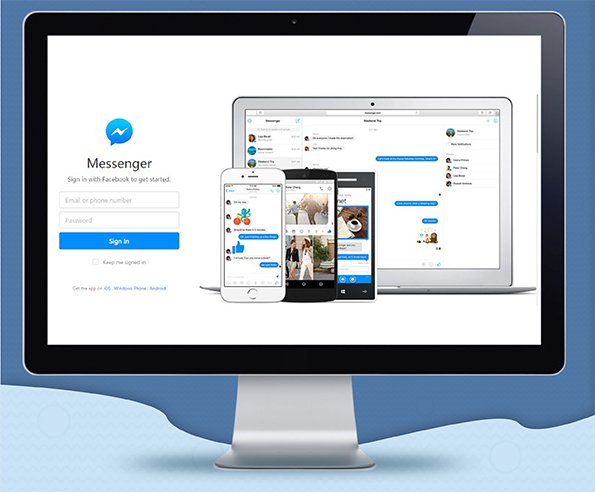
Facebook Messenger ads are ads that appear either on the newsfeed or directly in people’s Messenger inboxes.

The newsfeed ads have a call to action that directs people who click it to Messenger, where they can send you a message and get more information about your business.

53% of people say they’re willing to buy from a company they can message directly on Facebook Messenger ads. And, customer service is increasingly moving toward instant and direct messaging. Customers expect instantaneous responses and favor brands that provide it.

Facebook Messenger ads allow small businesses to connect directly with potential leads. They eliminate the need for a hard selling ad and instead, open a dialogue. They provide an opportunity for you to personalize your marketing in a way that encourages people instead of putting them off.

Facebook Messenger Ads

Let’s break it down, starting with destination ads. These are ads that appear in your target audience’s newsfeed, very much like traditional Facebook ads. The main difference? The call to action is always going to be “Send a Message.” When a user clicks it, a Messenger window opens, and your automated message will appear. (We’ll talk more about how to use that feature later.)

Sponsored messages allow you to deliver special offers and communications directly to the user’s Messenger inbox. A key feature of sponsored messages is that you may send them only to people who have messaged you previously. They’re a form of remarketing with a personal touch.

Finally, home screen ads are ads that appear in Messenger. The difference between these ads and sponsored messages is that their intent is not to start a conversation. It’s to drive sales by encouraging users to click on the ad.

How Can Facebook Messenger Ads Benefit Your Business?

Facebook Messenger ads are a great option for small, local businesses. They allow you to personalize ads and connect directly with the people who are most likely to buy from you.

Want some examples? Here are a few ways that you can use Facebook Messenger ads to boost your profits:

  1. Personalize your messages. Too much personalization can seem downright creepy, but Facebook Messenger ads allow companies to straddle the line without crossing it. Because you can only send direct messages to people who’ve already connected with you on Messenger, it doesn’t feel as intrusive as LinkedIn direct ads. And, it lets you tailor your offers in a way that’s highly likely to result in a sale.
  2. Give customers the response time they want. With Messenger ads, you can automate your replies to ensure that potential customers aren’t stuck waiting for a response from you. And, in case you don’t know, people prefer messaging to any other form of customer service. Research shows that 73% of consumers prefer live chat to email, and 56% prefer it to a phone call.
  3. Start a conversation. Lead nurturing is something that you can do one on one with Facebook Messenger ads. You can even customize your newsfeed ads to encourage people to chat with you about your product or service. This option allows for one-on-one contact – even if it’s largely automated – that makes potential customers feel valued.
  4. Increase local awareness of your business. One of the best things about Facebook Messenger ads is that you can select “increase local awareness” as your ad objective. This is a particularly effective option for businesses that want to reconnect with existing customers. You can use Messenger to send them an offer that’s tailored to them.

Another way of looking at Facebook Messenger ads is that they’re the modern-day equivalent of going door to door. They don’t require any more effort than traditional Facebook ads, but they offer a degree of personalization and one-on-one contact that will allow your business to connect with potential leads in a meaningful way.

How to Get Started with Facebook Messenger Ads

If you’re itching to get started with Facebook Messenger ads​, here are 7 easy steps to help you get going.

  1. Open Facebook Business Manager.
  2. Choose conversion as your marketing objective.
  3. Scroll down and select Messenger. (This ensures that a click will start a conversation instead of redirecting the person to your landing page.)
  4. Scroll to Edit Placements and select Messenger again. You’ll notice that with your first ad, Sponsored Messages aren’t an option – that’s because they’re only for remarketing.)
  5. Fill in the content you want to appear in your ad.
  6. Choose Send Message as your call to action. (This one’s a must because it lets the people who see your ad know that they’re starting a conversation with you.)
  7. Finally, fill in the message (or the first few messages) you want people to see when they click your call to action. For example, you could send them a coupon or ask them a question to start the conversation.

That’s it. Once you’ve completed these steps, your very first Facebook Messenger ad will be up and running – and you’ll be able to see for yourself what a powerful marketing tool Facebook Messenger can be.

Getting a great ROI on Facebook advertising can be tough. There’s a ton of competition and as a small business owner, your marketing budget is limited. Facebook Messenger ads can help you leapfrog over the competition and connect directly with the most valuable people on social media – your customers.

Voice Search Changed How People Find Your Business

Voice Search Changed How People Find Your Business

Voice search is everywhere these days. You’ve heard about it before, but it’s long past time to think of it is something to worry about in the future. The future is now.

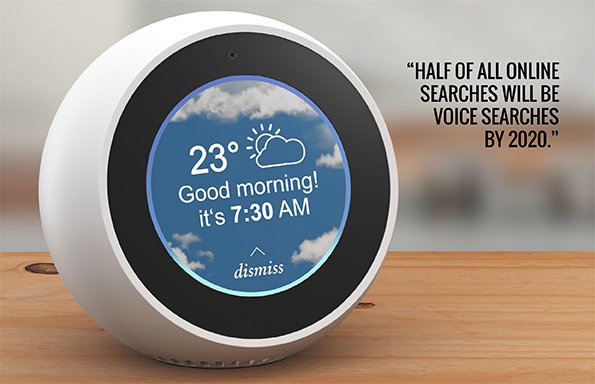
As of 2019, 20% of all Google searches are voice-activated – a number that’s expected to leap to 50% as early as 2020.

The statistics around voice-enabled gadgets like Siri, Alexa, and Cortana, are even higher. Only 18% of US households owned one as of 2018. By 2022, it’ll be 55%.

What’s that tell us? Voice search is here to stay. It’s growing – and businesses who don’t embrace it now are going to be left scrambling in the very near future.

Your challenge, should you choose to accept it, is to embrace voice search and recognize that optimization is not optional. Here’s what you need to know.

VOICE SEARCH

Voice Search vs. Traditional Search

There are two key differences between voice search and traditional text-based searches. Understanding them is a must if you want to capitalize on voice search and grab your share of traffic and sales.

The biggest difference is one that illustrates why the growing trend of voice searches isn’t something to take lightly.

With traditional search, you can grab a share of the organic traffic from the SERP even if you’re not ranked number one. Why? Because searchers don’t always click on the first link. They’ll scroll, skim titles and meta descriptions, and choose the link that best suits their needs. Even if you’re tenth – or on the second page of search results – you can still get a few clicks out of the deal.

Voice search is a different thing entirely. When someone searches a keyword or asks Siri a question, they’re not getting a list of results. The virtual assistant reads one – and only one — result. In other words, in the world of voice search, if you snooze, you lose!

The second key difference between voice and text search is the keywords that dominate. Google’s been prioritizing long-tail keywords for all searches, but in voice search there’s no other option.

VOICE SEARCH

Pointers for Optimizing Your Site for Voice Search

As you probably expected, Google keeps its voice search algorithm secret. However, there are some ways to improve your chances of ending up in the featured spot – the coveted position where your site is the one being offered as the solution to a search request.

#1: Answer a Question

A lot of voice searches are worded as questions. Answering the most commonly-asked questions can help you move up the SERP to the featured position.

Not sure what questions to answer? You can try using Answer the Public, a site that generates questions based on the keywords you enter. Here’s a sampling of the suggested questions for Facebook advertising:

  1. How does Facebook advertising pricing work?
  2. What are Facebook advertising policies?
  3. Is Facebook advertising taxable?

To grab the lion’s share of traffic for these questions, the best method is to make the question itself an H2 tag in your content. Then, answer it as clearly and concisely as possible immediately under the H2. Google’s always going to prioritize quality content. Getting right to the point in a way that’s engaging will help Google see your response as the best answer.

#2: Optimize for Long-Tail Keywords

A lot of businesses are accustomed to optimizing for short keywords. Those days are over. Long-tail keywords are the name of the game. They’re more conversational and contextual than old school keywords. They’re also the keywords most likely to be used in voice searches.

Ever since Google released its Hummingbird update in 2013, the emphasis has been on long-tail keywords. To maximize your traffic from voice search, you’ll need to identify the most likely search terms and highlight them in your content.

One of the easiest ways to identify long-tail keywords is to scroll down to the bottom of the Google SERP after doing a search and check out the “People Also Ask” box, which lists questions that are commonly asked along with what you searched. It’s a great way to identify variations and pinpoint the terms people are using to search.

#3: Optimize for Local Searches

You might be tired of hearing about local search, but the truth is that it’s more important than ever. 76% of all voice search users use it for local searches at least once a week, and 53% make local searches daily.

If you haven’t standardized your NAP listings, optimized your site for local keywords, claimed your review listings, and optimized your Google My Business listing, you’re probably not going to perform well in voice search.

Make sure that all business data is accurate, including your hours of operation, address, and any other information that might be relevant to searchers.

#4: Use the Right Words

It might shock you to know that approximately 20% of all voice searches are triggered by the same 25 words. These include words like:

  1. How
  2. What
  3. Best
  4. Where
  5. Top
  6. New
  7. Define
  8. Types

Focusing your content on these words can help you jump ahead of your competitors and grab more than your share of voice search traffic. The key is to incorporate the right words into content that answers questions, using the proper tags and markers to ensure that Google can read and index your content correctly.

#5: Speed Up Your Site

Voice searchers expect to get search results nearly instantaneously. In fact, one study found that a site that took just 5 seconds to load was 90% more likely to get a bounce than a site that took only one second to load.

Complicating matters is the fact that mobile searches have a bounce rate that’s nearly 10% higher than desktop searches.

Maximizing your site’s speed increases the chances that you’ll move to the top in voice search. A slow-loading site is not going to be Google’s first choice. Remember, their goal is always to deliver the most relevant site to the searcher as quickly as possible.

Voice search is coming for all of us – and you can’t afford to ignore it. SEO is never an exact science, but the tips here can help make your content what Google voice searchers want – and increase the chances that you’ll land the coveted top spot.

VOICE SEARCH
The 5 Simple Marketing Metrics You Should Know

The 5 Simple Marketing Metrics You Should Know

When you’re running a business, it’s easy to become overwhelmed with everything you need to do. A lot of business owners look at marketing as an afterthought. They’re focusing on other things.

That attitude’s a common one – but it’s not a great idea to ignore marketing. And while you might not have a ton of time to spend on marketing, there are a few basic marketing metrics that you should have at your fingertips all the time. In fact, not knowing them can negatively affect your business’s profitability over time.

#1: The Size and Demographics of Your Audience

Your audience, whether they’re subscribed to your email list or following you on social media, is the pool from which you’ll attract most of your new customers. It’s also representative of the people who’re most likely to buy from you even if they’re not in your audience now.

There’s no denying those things are important. You should always know three things about your audience:

  • The number of people in your audience
  • Where they are
  • What they have in common with one another

Let’s look at each question in turn. The number of people in your audience is probably the easiest thing to track, but you’ll need to check multiple locations regularly. For example, you can check:

  • Your blog metrics to see how many readers you have, on average
  • Your social media following on various sites (Facebook, Twitter, LinkedIn, Instagram)
  • Your email and text subscriber lists

Getting a handle on the numbers will also help you understand where your audience is. You may notice that you have far more followers on Facebook than on Instagram.

The final thing you’ll need to do is to analyze your audience. On Facebook, for example, you can view age, gender, and geographical breakdowns of your audience. You can also see what interests they have in common. Having this data at your fingertips can help you build lookalike audiences and do a good job of creating content that your audience will enjoy.

Online MARKETING METRICS

#2: Your Online Review Status

Online reviews are important to every business. Research shows that 86% of all consumers read online reviews, and that 89% read company responses to reviews. Those aren’t numbers you should ignore.

To get a handle on your online reviews, you’ll need to:

  • Search for your company listings on review sites such as Google My Business, Yelp, and Angie’s List, and claim them.
  • Update your listings to accurately reflect your current address, phone number, business hours, and prices.
  • Set up a system for responding to all reviews, especially negative ones, in a constructive and professional way.
  • Find ways to encourage your customers to leave reviews for your business.

Another related “must” is to set up alerts, so you get notified when there’s a new review of your business. You’ll need to respond quickly to show existing and potential customers that you care about them and their experiences.

#3: Your Google Ranking

The third marketing metric you need to know – and it’s a hugely important one – is your website’s Google ranking. You’ll need to conduct regular Google searches for your most important keywords and keep track of how you’re doing.

Your ranking for one page may be high while another page is down on the second (or third, or tenth) page of Google results. If that’s the case, you’ll need to improve your SEO and increase your visibility to improve your ranking.

Why does this matter? Well, research shows that the first result on Google’s SERP for any keyword grabs about 30% of clicks. The second and third positions can get as much as 10%, but after that the fall-off is precipitous. You’ll be lucky to grab 2% of the traffic.

The good news is that focusing on local SEO and voice search can help you improve your ranking – but you must know where you are now before you can attack the problem and rise in the ranks.

#4: Ad Performance

Whether you’re running just a few ads or juggling dozens of marketing campaigns, it’s necessary to track the performance of each ad. It’s the only way to know whether your marketing mix is right – and whether your money is going down the drain.

Let’s use Facebook as an example. Facebook provides tons of insights for businesses. You can see how many people your ads are reaching, get an overview of their demographics, and even track the days (and times of day) when your posts get the most engagement.

If you prefer an all-in-one solution that will allow you to track your performance on all social media accounts, you can use UTM tags to track them with Google Analytics. Or, if you prefer, you can use a social media tracking tool.

#5: ROI by Campaign

ROI Campaign dollar bill

The final metric you should track is your Return on Investment, or ROI, for each marketing campaign. In case you don’t know, ROI is calculated as a percentage using a simple formula. Here’s how it works:

  • Calculate your total revenue from the campaign
  • Calculate the total costs associated with the campaign
  • Subtract the costs from the revenue to calculate your profit
  • Divide your profit by the cost to calculate your ROI

For example, say you spent $200 on an email marketing campaign. Some of that money might be from hiring a writer to craft the emails and the rest might be the associated costs from your email provider.

Email marketing has a high ROI (4400%, to be exact). Let’s say that your revenue from this campaign was $9,000. That would mean the calculation would be:

$9,000 revenue – $200 cost = $8,800 profit, and $8,800 profit/$200 cost = 4400% ROI
ROI calculations will help you identify the marketing campaigns that are earning you the most revenue. You can use that information to:

  • Rethink your marketing mix
  • Split-test and improve underperforming campaigns and ads
  • Put more money into the marketing tactics that are most impactful

You don’t need to be a marketing guru to run a successful business. You do need to be aware of these 5 key marketing metrics – and know how to use them to attract new customers and increase your profits.

3 Mobile Marketing Musts for Local Businesses

3 Mobile Marketing Musts for Local Businesses

You might be sick of hearing about mobile marketing, but you can’t afford to ignore it. No local business can. With voice search dominating and local searches accounting for fully one-third of all inquiries, any business that’s not prioritizing mobile marketing is likely to end up out in the cold.

So, where should you start? What mobile marketing elements are the most important for local businesses? Fortunately, if you’re new to mobile marketing, there’re only three big musts – and if you focus on them, you’ll be able to capitalize on the huge growth in mobile searches.

#1: X Marks the Spot

In the world of marketing and SEO, it’s common for experts to go out of their way to mention that not all searches happen on Google. But guess what? Virtually all mobile searches DO happen on Google – and that’s not an exaggeration. As of 2018, almost 95% of searches on mobile devices were Google searches.

The challenge is clear. Your business must be findable on Google if you’re to have any hope of ranking for local searches and grabbing your share of traffic. And yet, Google Maps rankings incorporate both organic and paid traffic.

The good news for you is that many local businesses aren’t optimized for mobile and local searches. That means you’re in an ideal position to improve your ranking and take your competitors out – if you follow these four steps:

  • Run a free directory report to find your company’s listings online and optimize them. It’s important to know where your company information appears and how it looks to maximize your impact on Google.
  • Standardize your listings and add your most important keywords to each one.
  • Make sure that your location on Google Maps is accurate, so that people can find your business.
  • Focus on making your Google My Business listing as perfect as possible. If you haven’t already claimed your business, do so immediately. Then, once you’ve claimed it, choose all categories that apply to your business. Add keywords to your description and put information in every possible section of your listing.

The more accurate and complete your online information is, the easier it will be for Google to recommend your business for searches of your most important keywords – and your location.

OPTIMIZE YOUR WEBSITE FOR MOBILE

#2: Stop Procrastinating and Optimize Your Website for Mobile

It wasn’t that long ago that optimizing for mobile was optional – but that’s no longer the case. According to Statista, 52.5% of all worldwide traffic to websites came from mobile devices in 2018. That number’s only going to grow in 2019 and beyond.

That’s not the only number that matters, either. Mobile users are notoriously impatient when it comes to loading times. According to a Google poll, slow-loading sites were the top complaint of mobile users. And, according to an Akamai case study, the optimal page loading time for conversions was 2.4 seconds. When you take into consideration that the average site took a whopping 22 seconds to load on mobile as of 2018, you can see why there’s room for improvement.

The bottom line? Visitors shouldn’t need to squint or scroll horizontally to navigate your website. It should be easy for them to find what they need – and even more importantly, take the action you want them to take!

Fortunately, the solution is easy. It’s not difficult to build a mobile-optimized website. Your mobile website should include all relevant information from your regular site, including vital information about your products or services. It should also have clear actions for visitors to your site to take, such as:

  • Getting directions to your store or office
  • Calling your business
  • Subscribing to your list
  • Making a purchase
  • Following you on social media

You may want your mobile site to be a bit simpler than your regular website. You don’t want to overwhelm your visitors. However, you do need to make sure to include the relevant information and keywords that will convince Google to award you a high rank.

#3: Embrace the Potential of Mobile Marketing

You know where your customers are. If you’ve done any audience research at all, you know where they live, what they like, and what they need from you. And, if you’ve got a local business, you know that most of your customers live within a small radius of your business address. It stands to reason – 90% of consumers buy what they need within a short distance of their home or workplace.

A lot of local businesses have been slow to adopt mobile marketing, but it’s one of the best ways to target your audience. You have a few options to consider:

MOBILE MARKETING


  • Running Facebook ads and using the “Call This Business Now” call to action.
  • Collecting mobile numbers from your existing clients or customers and creating an SMS (text message) marketing campaign.
  • Intersperse text messages with marketing email to maximize your impact and connect with customers.
  • Use geofencing to send out offers when people are close to your store.
  • Run mobile ads – and experiment with various formats such as video, interactive, and native advertising in apps.
  • Create a mobile app for your business

Whatever mobile marketing techniques you decide to try, make sure that you set detailed targets and measure your results. It’s important to understand how much you’re spending and what your ROI is, so that going forward, you can fine-tune your mobile marketing campaigns to maximize their impact.

Once you’ve run a few campaigns, it’s a good idea to do some split testing and gradually improve your mobile ads’ conversion rates. Mobile marketing can take a bit of trial and error. It’s worth the time and effort to fine-tune your mobile marketing campaigns.

The bottom line is that mobile marketing is a must for local businesses. It provides you with an opportunity to connect directly with your target audience – and give them a reason to patronize your business instead of your competitors.

Local SEO VS National SEO Explained

Local SEO VS National SEO Explained

You’ve got your SEO all figured out, right?

Well… maybe.

Perhaps you’ve done a ton of research to find great keywords. Maybe you’ve got terrific, engaging content. You’ve optimized your links and tags.

Guess what?

If your business is local and you haven’t focused on local SEO, then the chances are good that you’re falling behind your competitors without realizing it.

All SEO is not created equal. National SEO – which focuses non-location based keywords – is useful for big corporations. But for small businesses, local SEO is where it’s at.

What are the differences? What do you need to know to make the most of local SEO?Let’s talk about it.

The Big Picture Similarities

Local and national SEO have a lot in common.

For example, both types of SEO have the goal of improving a website’s ranking on Google’s Search Engine Results Page (SERP.) The pages with the highest ranks get the lion’s share of traffic, which means they also get more conversions and more sales.

Some general techniques apply to all SEO, regardless of the target audience. I’m talking about:

  • Optimizing content with keywords
  • Using keywords in tags, titles, and meta descriptions
  • Link building with authority sites
  • Guest blogging

These things are essential because they help Google and other search engines “crawl” your site and index it properly.

National Keywords vs. Local Keywords

The biggest difference between local and national SEO is the keywords you’ll use.
National businesses can use general keywords because they’re big enough to benefit from doing so. When customers buy online or can find your business at their local mall, you don’t need to worry too much about locational keywords.

Local businesses do need to worry about locational keywords. They help local customers – the ones most likely to frequent your business – find you online.

Depending on your business, you may choose to use words that incorporate the name of your state, city, or neighborhood. Let’s look at a hypothetical business to see how this strategy might play out.

The business is a bakery located in the North End neighborhood in Boston. Here are a few local keywords that might be useful:

  • North End Italian bakery
  • Italian bakery North End Boston
  • Boston bakery
  • Massachusetts bakery

You get the idea. You can come up with variations that use the locations that are most likely to help your customers find you.

Choosing the right local keywords also helps you with Google. When someone in the area searches “best North end bakery,” Google will return results based on the GPS on the searcher’s phone or device.

In other words, local keywords help Google include your business in local searches, making it more likely that people in your area will learn about your business.

seo

Tips to Perfect Your Local SEO

What’s the best way to perfect your local SEO​? Fortunately, it’s not that hard to do. Here’s what I suggest:

  • Start by claiming your business listings. Anywhere your business is listed online, whether it’s on the website for your local Chamber of Commerce, Yelp, or a city directory, should be something you control. Claiming your listings makes it easy for you to correct errors and ensure that it’s easy for people to find your business.
  • Next, you’ll need to standardize your NAP (name, address, phone number) listings. To get the best results with Google and other search engines, you’ll need to make sure that all NAP listings are identical. That means everything, from the abbreviations you use for your street address to the phone number you list, must be the same.
  • Considering adding location pages to your website if you have more than one location. It’s easier to get local SEO​ right when you’re specific – and when you make it simple for people in your area to find you.
  • Update Google My Business for your business. Because it’s owned by Google, this is the one listing you can’t afford to ignore. Make sure you’ve got a link to your URL and that you use local keywords in your descriptions.
  • Research the local keywords with the most traffic and use them in your content. Remember that people in search of local businesses are highly likely to use local keywords. Choose your keywords accordingly.
  • Create compelling and useful local content that will attract people to your site. Make sure to use your keywords in your tags and link out to authority sites. You should also include a system of internal links.
  • Encourage your customers to write reviews – and respond to all reviews, positive and negative.
  • Do some local link building by reaching out to other businesses and directories in your area and getting them to link back to your site.
  • Use local keywords on your social media sites. Add maps, use Facebook’s mobile options to allow mobile users to click to call you, and allow customers to leave reviews

Local SEO​ isn’t difficult, but you’ll need to be methodical and practical in how you approach it.

SEO
Create Killer Content without Writing a Word Yourself!

Create Killer Content without Writing a Word Yourself!

The title of this article pretty much steals my opening line:

What if you could create better content with less work?

If you’re screaming, “Sign me up!” then you’re not alone. Content creation is a lot of work. It takes time, expertise, and attention to detail.

And let’s face it: sometimes we have ideas for content but lack the expertise to execute them. Nobody’s good at everything, right?

The solution is – drum roll, please – NOT DOING EVERYTHING YOURSELF.
I’m talking here about content collaboration.

Maybe you’ve never collaborated on a piece of content before and the notion sounds scary. I get it.

But what if a little bit of teamwork and collaboration is just what you need to make your content sing? What if collaboration could increase your engagement, attract more leads, and bump your profits?

It can. Here’s what you need to know.

Content Collaboration?

So, what is content collaboration? How does it work?

Simply stated, content collaboration is what happens when more than one person – could be two, could be 10 or more – work together on a piece of content.

The benefit of collaborating on content is that it allows you to bring together people with different experiences, training, and skills to contribute what they know to the finished piece. When it’s done well, content collaboration can help you:

  • Be more creative with your content by adding outside expertise and opinions. When people collaborate, they’re sometimes able to come up with ideas and creative solutions that they might not conceptualize on their own. It’s a synergy thing.
  • Use your available resources more productively. We all have strength gaps and holes in our knowledge. In a group, you can capitalize on the individual strengths and skills of the entire team and use them, collectively, to make your content sing.
  • Increase your brand recognition and reach. This one’s especially true of you include industry influencers and experts in your collaboration. Each one of you can help expand the others’ audiences just by your presence on the team.

Content collaboration offers you the chance to create high-quality, engaging, and memorable content that will help you attract new leads. That’s a win no matter how you look at it.

Where to Find Collaborators

I’m willing to bet that collaboration sounds good to you now. That makes the next question where to find potential collaborators and how to choose the best ones to help you with your content.

Let’s start with the where. There are a few options:

  • Internal contributors. The people who are already working for your company, either as employees or freelancers, may have insights and skills that can make your content more compelling.
  • Customers and clients. The people who use your products or services know them well and might be able to offer tips to potential customers.
  • Suppliers and subcontractors. If your company works with suppliers or outside contractors, they might be able to offer a unique take on your content that potential leads can’t get anywhere else.
  • Industry publications, experts, and influencers have expertise that you may not have, and they also have their own audiences that may be interest in your products. Collaborating with them can help you beef up your content and expand your reach at the same time.

You should think about the content you want to create and decide who to approach about collaboration. If you’re going to ask people to write a section of content, you should think about their writing skills and whether you’ll need to edit or rewrite. Factor that into your decision.

Content Collaboration Ideas to Try

Not all content is ideal for collaboration. Here are 10 ideas you may want to consider as you undertake your first content collaboration.

  • Write a book. Writing a book all by yourself might seem like a daunting task. But if you gathered 10 collaborators and each of you wrote a chapter, you could be done with the book in no time – and offer your readers far more value than you’d be able to provide on your own.
  • Create a round-up article. You’ve probably seen round-up articles with titles like, “12 Experts Give Their Best Investment Advice” or something like that. The idea is that each collaborator contributes a tip or trick. All you’ll need to do is edit the whole thing together and you’ll have a unique and useful piece of content.
  • Collect reviews. This is an opportunity to collaborate with colleagues and create useful or fun lists for your readers to enjoy. An example might be a collection of computer reviews by software users.
  • Conduct interviews. Doing interviews is an easy way to create content. You can simply record them (with audio or video) and then they can be posted in multiple formats. Videos can be shared to YouTube and social media, while audio may be turned into a podcast. You can also post a written version to your blog.
  • Courses and workshops. This type of collaboration is ideal if you want to get customers or clients involved. After all, the people who buy your products may be the best people to ask about creative ways to use them. You can either ask people to teach a segment of a shop or have a group workshop/demo where they demonstrate different techniques and uses for the product.
  • Newsletters. A newsletter is an idea place to collect short articles and contributions from your collaborators. You can send it out via email or post it on your website.
  • Slideshows. When multiple people contribute to a project, you can take each contributor’s work and design one or more slides around it. You can even take the slides and turn them into a video presentation.

I hope you get the idea. The content you create with collaborators should go above and beyond what you can do on your own. By incorporating many ideas into one meaningful piece of content, you’ll be giving your audience something valuable that may convert them from leads into paying customers.

workshop
Capture More Email Leads with 5 Easy Strategies

Capture More Email Leads with 5 Easy Strategies

Email marketing is old school. Sort of like the kind of corded phone that hangs on your kitchen wall or a dial-up modem.

If that’s your thinking, then you are missing out on a crucial opportunity to connect with potential leads and turn them into loyal customers.

Really.

Email marketing might not be new, and it might not be the latest and greatest thing. But that doesn’t mean that you can afford to ignore it.

And if it’s been a while since you revamped your email marketing strategies, it’s time to wake up and smell the lead generation coffee.

The good news is it’s great coffee. Here are five blends – okay, strategies – to help you kick your lead generation into high gear.

#1: Micro-Targeting

Some marketers want to hang on to a “one size fits all” approach when it comes to lead generation. They’ve got a lead magnet that’s been working for them – at least to a point – and they don’t want to try anything new.

But here’s the thing about that. Not every potential lead arrives at your site for the same reason. Some may have been drawn by a specific piece of content. Others might be looking for a service – or a product – to solve a problem they’ve been having.

My point? It’s far more effective to target people with an offer that’s tailored to their interests. Someone who comes to your site because of an authority blog post is highly likely to respond to a lead magnet that is related to the post.

That’s simple, but I’m always amazed at how many people don’t understand it. Dive into some audience research, tailor your lead magnets based on what you find, and watch your subscriptions soar.

#2: Use Pop-ups

I can hear you now. Your brain is screeching at me.

“WHAT? People hate pop-ups! And what about pop-up blockers? It’ll never work!”

I get it. But here’s the thing: pop-ups are effective. In fact, they can be HUGELY effective if you use them in the right way.

What I mean by that is that a generic pop-up that interrupts someone while they’re reading the first paragraph of your killer blog post is only going to be irritating – and probably ignored.

BUT…

A pop-up that appears as the reader approaches the end of your blog post is a different story. So is a pop-up that’s triggered when the user hits the back button or tries to close the window.

Why? Because these are triggered by behaviors.

Research shows that using an exit pop-up can boost conversions by as much as 1375%! That’s a crazy number – and if you know anything about conversions, you know that it’s beyond impressive.

The moral here is that you shouldn’t rule out pop-ups. The right kind – at the right time – can reduce your bounce rate and help you get more subscriptions than ever before.

#3: Maximize the Value of Your Lead Magnet(s)

We’ve already talked about lead magnets, but there’s another angle I want to mention. The best lead magnets are those that:

  • Are targeted directly to the people you want to attract as leads
  • Offer massive value in return for something small (namely, the user’s email address)
  • Provide a solution to a problem
  • Provide actionable content that the user can benefit from immediately

In most cases, you’re going to want something short. You don’t need to give away a 100-page eBook. What users want is something that’ll benefit them right away. For that reason, I like:

  • Cheat sheets
  • Discounts
  • Checklists
  • Free tools
  • Resource/template bundles
  • Webinars
  • Email courses

Of course, you can also offer a short guide or eBook if you want to. I suggest keeping it under 15 pages and use them only if a topic is too complicated to explain in something shorter.

The main point here is that a user should see your lead magnet and experience immediate FOMO (that fear of missing out). You want them to NEED it – so much so that they’ll fork over their email address to get it.

#4: Choose the Right Lead Capture

There’s more than one way to skin a cat. And there’s more than one way to capture a lead.

Sure, you could go with the old tried and true web form. But think about your audience. Is that the BEST way?

If your regular methods aren’t garnering the options they once were, here are a few alternatives to consider:

  • Surveys and quizzes
  • Live chat
  • Content upgrades
  • Contests and giveaways
  • Chatbots
  • Pop-up forms (especially exit forms!)

It may take a bit of trial and error to land on the lead capture that works best. I suggest doing a bit of A/B testing to see what gets you the results you want. And remember, what works for one page may not work for another.

#5: Eliminate Friction

Subscribing to your list should be easy. REALLY easy.

You probably know that there’s research that shows that every additional field added to an opt-in form decreases the conversion rate. For example, dropping the number of fields from five to four can increase your conversion rate by 50%.

You should ask yourself:

  • What information do I absolutely need to follow up with a lead?
  • Can I collect additional information later?
  • Does my form work on all browsers and devices?
  • Which fields are responsible for the most bounces?

You may also want to think about the design of your form. Anything you can do to make it easy to find – like using a contrasting color, putting it in a box, or drawing an arrow pointing to it – has the potential to increase your conversions and generate more leads.

Conclusion

Email marketing is an ideal way to nurture leads and convince them to take the next step and buy your product or service. The five tips I’ve mentioned here can help you pull your lead generation out of stagnation – and into a brand new world of profits.

email leads
AdWords is D-D-Dying. Hello Google Local Services!

AdWords is D-D-Dying. Hello Google Local Services!

I’m sorry that I have to break it to you but… AdWords is dying.

Well, I’m not that sorry. I’m eager to tell you because Google Local Service Ads are a better option for local businesses than AdWords ever was.

Why? Because AdWords was an advertising tool that could be adapted for local businesses – with the right local keywords, it’s been possible to get to the top of Google’s SERP. But it was never intended specifically for local service based business.

That’s not the case with Google Local Service Ads. It’s designed especially for local businesses. Let’s talk about it – and about the Google Guarantee Badge.

Why is Local Search a Must?

Simply put, 75% of all local searches result in an in-store visit within 24 hours. This one statistic demonstrates the importance of local SEO. If you can attract a lead through a search, the odds are in your favor that the searcher will come to your business.

As Google focuses more on local SEO and searches, it’s natural that they’ve decided to offer searchers a way to verify local businesses. And that’s where Google Local Services comes in.

Google Local Services got its start as Google Home Services in 2015. It was originally a pilot program in the San Francisco market. It offered consumers some detailed and useful information about local businesses, including:

  • Confirmation that the business is properly licensed
  • Confirmation that the business is properly insured
  • Confirmation that all employees have passed a criminal background check

That last requirement was part of the screening process for any company that made in-home visits. The intent was to provide customers with some peace of mind before they contracted with a business.

Once a business has passed Google’s screening, they’ll get a badge with a green checkmark next to it and the words “Google Guaranteed.” That’s a signal to potential leads that your business is trustworthy.

What Does the Google Guarantee Offer Consumers?

The Google Guarantee offers two things to consumers: peace of mind and financial protection. Here’s how it breaks down.

The first thing is that, as I mentioned before, the Google Guarantee tells potential leads that your business is licensed and insured and that your employees have passed a criminal background check. That’s essential in the home services industry.

The second thing the Google Guarantee offers is financial protection. Google will reimburse money paid for a job when the consumer is dissatisfied. There’s a lifetime cap of $2,000 and the service must be:

  • Booked through Google Local Services
  • Unsatisfactory in quality
  • Submitted within 30 days of the work being completed

Per Google, “Add-on or future projects, damages to property, dissatisfaction with price or provider responsiveness, and cancellations aren’t covered.”

If one of your customers files a claim, Google will contact you to let you know. You’ll have a chance to work things out with your customer first. If that fails, Google will reach a verdict about how to handle the claim.

Where Do Google Local Services Ads Appear?

If you haven’t taken part of Google Local Service listings yet, you might be wondering “Why do I need to jump through hoops to complete Google’s screening process?

Well, there’s a couple really good reasons. Let’s discuss.

First, if you’re properly licensed and insured, the only other thing you need to do is get background checks for your employees. And frankly, if you’re sending your employees into people’s homes, that’s a good idea for every business.

Second, it’s all about the ad placement. Businesses that pass Google’s screening process get preferred placement on the SERP on both desktop and mobile devices.

On desktop, business with the Google Guarantee Badge appear in a box above both the traditional Google 3-pack and the regular organic search results. The display will list:

  • Your company’s name
  • Your rating (from one to five stars)
  • Your Google Guarantee Badge
  • Your city and state
  • Your telephone number
  • Your business hours

Typically, the three companies with the highest ratings for the search term will appear at the top of the SERP. There’ll also be a link underneath the top three business that consumers can click to see more businesses.

On mobile devices, the Google Local Services ads appear above the SERP, too. Typically, the top two results will appear along with the name, badge, rating, and a call button that mobile users can click to contact you directly.

adwords
Google Ads

Potential leads will know that your business has been guaranteed by Google. They can access reviews easily and be confident that you’re someone they can trust with whatever work they need.

Remember, in any sale process there’s a need to overcome buyer objections. One of the biggest objections when people are looking for home services is safety. They want to know that you’re reliable and that your employees can be trusted. The Google Guarantee Badge provides some peace of mind and takes the guesswork out of hiring you.

But here’s the best thing – While traditional ads operate on a pay-per-click basis, Local Service ads run on a pay-per-lead basis. That means you’re only charged for the leads you receive through your Local Service ad.

And, compared to regular search ads, Local Service ads have a pretty simple setup. No keywords, research, or creative to manage.

Are There Any Downsides to Google Local Services?

I can’t say that there are any real negatives to qualifying for the Google Guarantee Badge, but FYI not every business can take part of this program. Google’s Local Service Ads cater to local service-based businesses in specific industries, such as locksmiths, plumbers, garage door professionals, electricians, and HVAC services. To find out if you can connect to your customers with Local Service Ads, first confirm your business type and location here.

So if you’ll jump through some hoops – Google’s Local Service Ads can give your business a big leg up on your competitors and drive more high quality leads to your business.

Conclusion

Google AdWords is dying whether you’re ready or not. This is the perfect time to embrace Google Local Services, go through the screening process, and get that coveted green checkmark next to your name – so if you own a local service based business – what are you waiting for?